Embedded captions

CEA-608/708 live caption embedding

4ALL Encoder can insert a selected event’s captions as CEA-608/708 data into a supported H.264 encoded stream. The operator configures the caption service, video and audio pipeline, and contribution output, then tests the result on a compatible downstream decoder. This is different from a browser overlay or graphics layer, which makes text visible but does not carry embedded caption data.

Start for free

Last updated

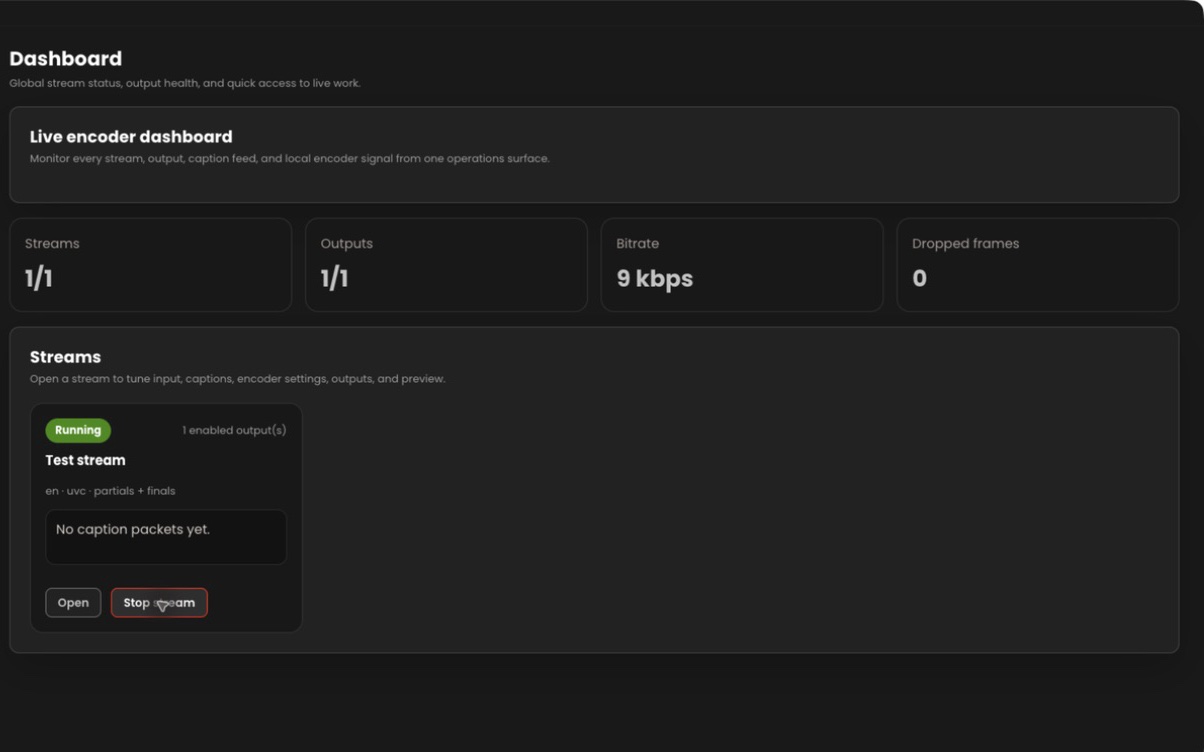
4ALL Encoder dashboard showing a running stream and caption status

What it is

A production workflow, not a one-size-fits-all promise.

Embedded captions require every stage in the path to handle the caption information correctly. Successful speech recognition, a healthy Encoder preview, and an active network output are necessary but not sufficient. The production should inspect the actual downstream stream after any gateway, transcoder, receiver, or platform that could modify the encoded media.

Best for

  • H.264 contribution streams that require CEA-608/708 caption data
  • Broadcast paths with a compatible downstream caption decoder
  • Productions separating toggleable caption data from visible graphics
  • Teams able to test service configuration through the complete chain

Plan around

  • The documented 4ALL embedding workflow applies to supported H.264 Encoder output.
  • CEA capability varies across downstream transcoders, players, platforms, and decoders.
  • Transport connection status alone cannot confirm caption presence or correct service mapping.

Capabilities and outputs

What the workflow actually delivers

The exact configuration depends on the event, audience destination, enabled features, and downstream production equipment.

Capabilities for CEA-608/708 live caption embedding
CapabilityWhat it means in production
Event-language inputChoose the authorized 4ALL event and language that should populate the embedded service.
CEA configurationConfigure documented CEA-608/708 embedding and service behavior for the Encoder stream.
H.264 pipelineInsert caption data alongside the supported H.264 video and AAC audio workflow.
Contribution transportCarry the encoded output over a configured RTMP, RTMPS, SRT, or RIST connection.
Decoder verificationUse a compatible downstream device or application to expose and inspect the caption service.

Production workflow

From source audio to a verified audience output

  1. Step 01

    Confirm the downstream requirement

    Identify the required caption standard, service, language, codec, transport, and receiving decoder before setup.

  2. Step 02

    Configure Encoder

    Select the event and language, prepare H.264/AAC encoding, and enable the documented CEA-608/708 settings.

  3. Step 03

    Send through the real path

    Connect the intended RTMP, RTMPS, SRT, or RIST destination, including any gateway or transcoder used live.

  4. Step 04

    Inspect downstream captions

    Enable the service on a compatible decoder and check text, language, timing, clearing, and continuity.

Questions buyers and producers ask

Frequently asked questions

What are CEA-608/708 captions in a 4ALL workflow?

They are caption data inserted into a supported H.264 encoded stream by 4ALL Encoder, intended for compatible downstream systems that can preserve and display the configured service.

Are browser captions the same as CEA-608/708?

No. A browser viewer or overlay renders visible web text. CEA-608/708 is data carried with an encoded video workflow for downstream decoding.

Does SRT or RTMP automatically preserve captions?

No transport name alone guarantees preservation. The encoder, packaging, gateways, transcoders, receiver, and decoder must all handle the embedded data correctly.

Why do captions appear in 4ALL but not downstream?

Check event language selection, Encoder caption configuration, H.264 pipeline, service mapping, intermediate processing, and whether the final decoder supports and enables the expected caption service.

How can embedded captions be proven before air?

Run representative speech through the actual production path and view the selected caption service on a compatible downstream decoder after the last relevant processing stage.
Plan the complete audience path before show time.

Start with a free workspace or talk with 4ALL about capacity, outputs, integrations, and production support.

Start for free