Contribution transport

RTMP, SRT, and RIST captioned contribution streams

4ALL Encoder can send its H.264/AAC contribution output over RTMP, RTMPS, SRT, or RIST. SRT here means Secure Reliable Transport, not an .srt subtitle file. The selected transport carries the encoded media toward a receiver; caption survival still depends on correct CEA-608/708 insertion and every downstream gateway, transcoder, platform, player, and decoder preserving the data.

Start for free

Last updated

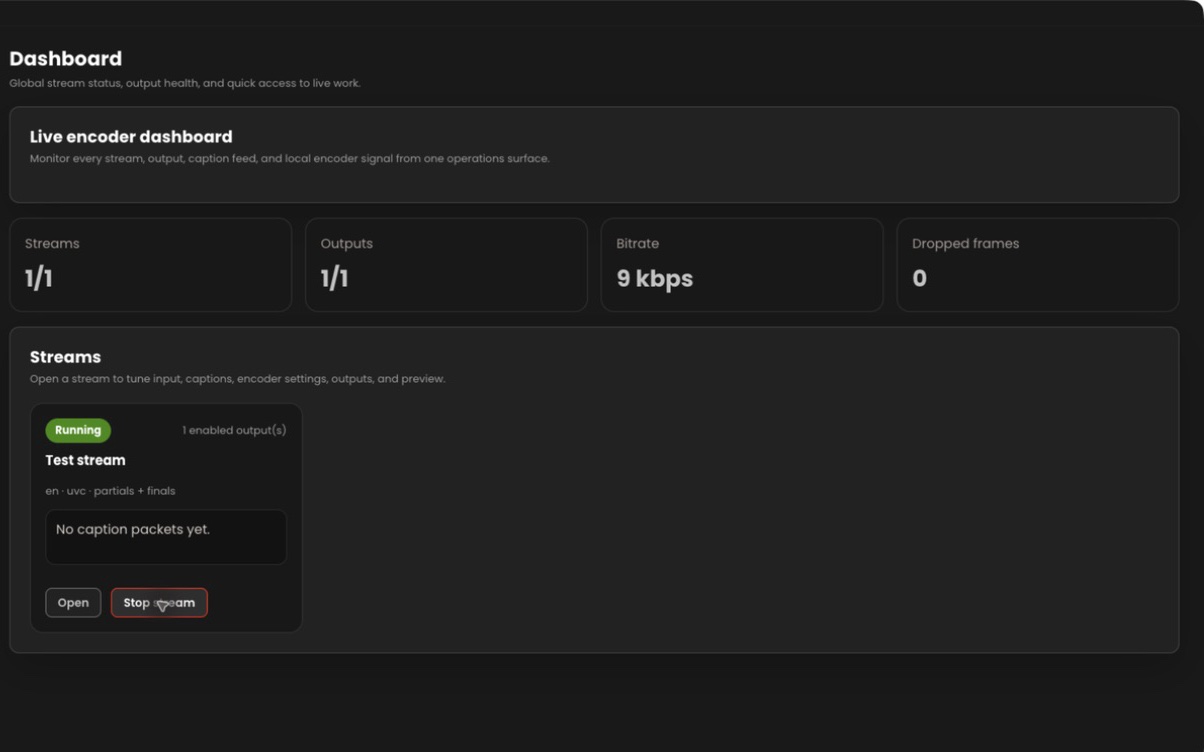
4ALL Encoder contribution outputs and stream monitoring

What it is

A production workflow, not a one-size-fits-all promise.

Protocol choice should follow the receiver’s supported mode, addressing, security, network conditions, and operational requirements. Encoder documents SRT caller, listener, and rendezvous configuration, RTMP/RTMPS destinations, and RIST Simple or Main Profile output. None of these transport settings replaces an end-to-end caption decoder test.

Best for

  • Captioned H.264 contribution feeds to compatible remote receivers
  • RTMP or RTMPS destinations using a server URL and stream configuration
  • SRT workflows using coordinated caller, listener, or rendezvous modes
  • RIST receivers using a compatible Simple or Main Profile configuration

Plan around

  • SRT transport is unrelated to the SubRip .srt subtitle-file format.
  • Transport support at both endpoints does not guarantee caption metadata preservation.
  • Firewall, addressing, ports, encryption, latency, and receiver details must match the selected protocol mode.

Capabilities and outputs

What the workflow actually delivers

The exact configuration depends on the event, audience destination, enabled features, and downstream production equipment.

Capabilities for RTMP, SRT, and RIST captioned contribution streams
CapabilityWhat it means in production
RTMP and RTMPSConfigure compatible real-time messaging destinations, including the secured RTMPS variant where required.
SRT modesSet up documented Secure Reliable Transport caller, listener, or rendezvous behavior.
RIST profilesConfigure a compatible RIST Simple or Main Profile destination.
Multiple outputsCreate and monitor more than one destination from the Encoder workflow when capacity allows.
Captioned mediaCarry H.264/AAC output with configured CEA-608/708 data toward a compatible downstream path.

Production workflow

From source audio to a verified audience output

  1. Step 01

    Start with the receiver

    Collect the receiver’s protocol, mode, address, port, credentials or passphrase, profile, and codec requirements.

  2. Step 02

    Configure encoded media

    Set the supported H.264/AAC pipeline and enable the required 4ALL event language and caption service.

  3. Step 03

    Create the transport output

    Enter the matching RTMP, RTMPS, SRT, or RIST parameters and resolve firewall and route requirements.

  4. Step 04

    Verify after transport

    Monitor connection health, then decode the receiver output to inspect video, audio, timing, and captions.

Questions buyers and producers ask

Frequently asked questions

Does SRT mean a subtitle file on this page?

No. Here SRT means Secure Reliable Transport, a network protocol for media contribution. It is not the SubRip .srt text subtitle-file format.

Which contribution transports does 4ALL Encoder support?

The documented outputs include RTMP, RTMPS, SRT, and RIST. The receiving system must support the selected protocol, mode, codec, and connection settings.

Which SRT mode should I use?

Use caller, listener, or rendezvous according to the receiver design and network topology. Both endpoints must agree on mode, address, port, security, and latency-related settings.

Does a successful connection prove captions are present?

No. Connection status shows that transport is operating, not that caption data was inserted, preserved, mapped, and enabled on the final decoder.

Can one Encoder send to multiple protocols?

Encoder supports managing multiple outputs. The exact combination must be load-tested against workstation encoding capacity, network bandwidth, and destination requirements.
Plan the complete audience path before show time.

Start with a free workspace or talk with 4ALL about capacity, outputs, integrations, and production support.

Start for free