Ross XPression integration

Ross XPression live captions with 4ALL

To use 4ALL LIVE captions in Ross XPression, run 4ALL XPression Bridge on the XPression workstation or a reachable local computer. Select the authorized event and language, create a Bridge output, and map its documented endpoint or payload to the appropriate XPression DataLinq field. Test text updates, clears, network reachability, and the final graphic before air.

Start for free

Last updated

Ross XPression setup guidance in 4ALL XPression Bridge

What it is

A production workflow, not a one-size-fits-all promise.

The integration separates cloud caption production from local graphics rendering. 4ALL creates and distributes the live text; Bridge exposes the chosen feed locally; XPression maps that data into a scene or template. This path produces a visible graphic and should not be described as embedded CEA-608/708 caption data.

Best for

  • Ross XPression control rooms using live 4ALL captions in graphics
  • Productions mapping one or more event language feeds to DataLinq fields
  • Teams that need local endpoint, payload, testing, and diagnostic controls
  • Graphics workflows with access to the XPression template and production network

Plan around

  • Ross XPression, DataLinq templates, licensing, and operator configuration are separate from 4ALL.
  • Bridge does not create captions locally and requires access to the 4ALL Cloud event.
  • Text rendered by XPression is a visible graphic rather than toggleable embedded caption data.

Capabilities and outputs

What the workflow actually delivers

The exact configuration depends on the event, audience destination, enabled features, and downstream production equipment.

Capabilities for Ross XPression live captions with 4ALL
CapabilityWhat it means in production
Cloud event selectionChoose the authorized 4ALL event and exact language that should populate the graphic.
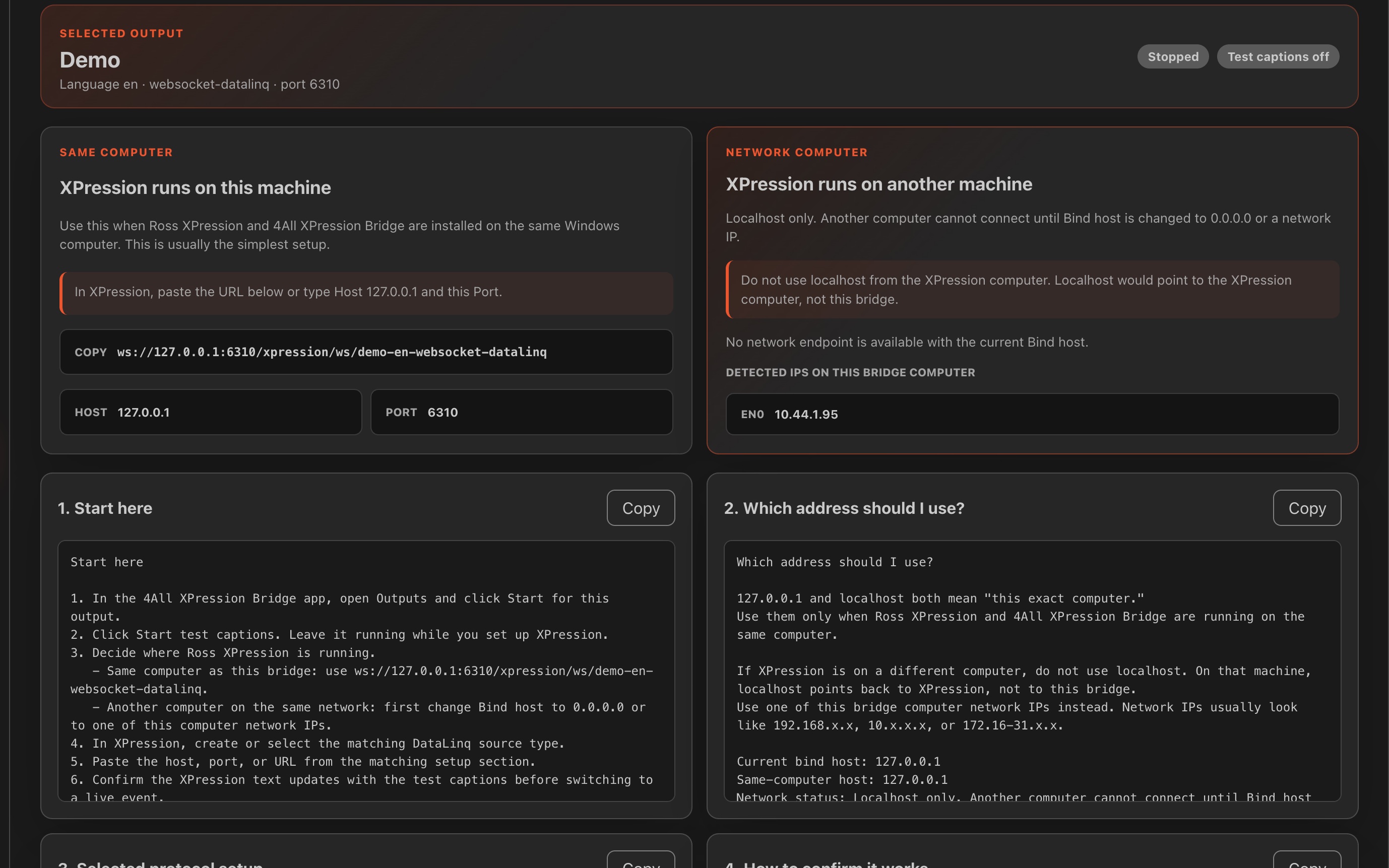
Local endpointExpose the caption feed from Bridge on the same workstation or a production-network host.
Protocol and payload optionsUse the documented Bridge output formats required by the intended XPression mapping.
DataLinq mappingConnect Bridge output data to fields used by an XPression scene or template.
Operational diagnosticsTest, monitor, stop, and collect Bridge logs when the graphic does not update as expected.

Production workflow

From source audio to a verified audience output

  1. Step 01

    Place Bridge on the network

    Install and authorize Bridge on the XPression workstation or another supported computer that XPression can reach.

  2. Step 02

    Create the language output

    Select the event, language, protocol, and payload required for the graphics template.

  3. Step 03

    Map DataLinq

    Use the generated endpoint and the in-app guidance to connect the expected data field in XPression.

  4. Step 04

    Rehearse graphic behavior

    Test partials or finals as configured, long lines, updates, clears, reconnection, and the final program composition.

Questions buyers and producers ask

Frequently asked questions

How does 4ALL connect to Ross XPression?

4ALL XPression Bridge exposes a selected cloud event and language through a local output. Ross XPression uses the documented endpoint or payload in its DataLinq workflow.

Can Bridge run on a separate computer?

Yes, when the supported Bridge computer and XPression can reach each other over the production network. Firewall, address, port, and topology must be verified.

Does the integration include an XPression template?

The production remains responsible for its Ross XPression project, scene, template, DataLinq mapping, styling, and playout logic.

Can a translated language feed an XPression graphic?

A Bridge output can select an available event language. That language must first be enabled and producing the expected text in 4ALL.

Are XPression captions embedded CEA-608/708?

No. In this workflow, XPression renders the caption text as a visible graphic. Use a documented caption encoder path when embedded CEA data is required.

Plan the complete audience path before show time.

Start with a free workspace or talk with 4ALL about capacity, outputs, integrations, and production support.

Start for free